
Introduction
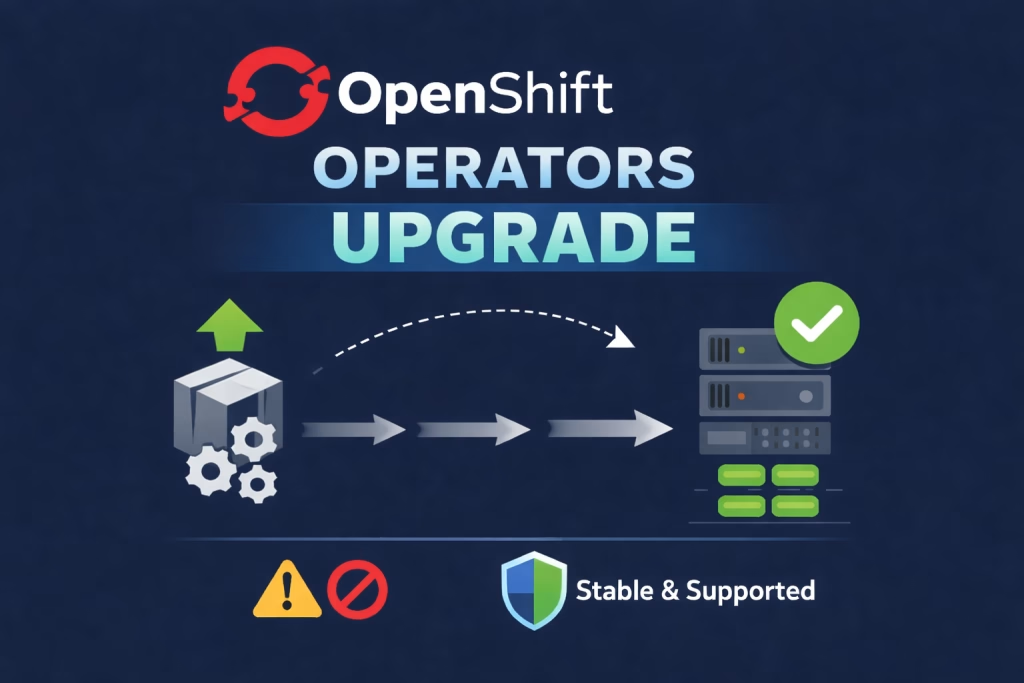
When upgrading Operators in a disconnected (air-gapped) OpenShift environment, the most critical step before any mirroring or upgrade activity , is understanding the Operator upgrade path defined by olm.skipRange.
In disconnected environments, mirroring operator content (for example, using oc-mirror) is often a time-consuming process that requires careful planning and validation.
Always verify that the current operator version supports the target version that you want to upgrade. Otherwise, the cluster blocks the upgrade even when all required images are already mirrored.
In this guide , we will cover step by step how to Upgrade OpenShift Operators in a Disconnected Environment.
Prerequisites
- OpenShift cluster running in disconnected environment.
- Operator already installed in the cluster.
- oc-mirror plugin.
Understanding Operator Upgrade Paths
Before performing any upgrade, it is critical to understand how Operator Lifecycle Manager (OLM) controls operator version transitions.
Each operator version uses a ClusterServiceVersion (CSV) to define and manage its lifecycle.
Inside the CSV metadata, OLM may define an annotation called olm.skipRange:
apiVersion: operators.coreos.com/v1alpha1
Kind: ClusterServiceVersion
metadata:
      annotations:
           olm.skipRange: ">=2.10.0 <2.11.9"
To view this annotation, go to the OpenShift Console → Installed Operators → select the operator → YAML.
This annotation prevents unsupported or incompatible version skips. olm.skipRange defines which previous versions are allowed to upgrade directly to this CSV. if the currently installed Operator version falls outside this range, OLM will block the upgrade.
Upgrade Flow:
Once a valid upgrade path is confirmed and you mirror the correct Operator versions using oc-mirror, you can continue with the upgrade process.
At this stage, the internal registry already holds all required Operator images and catalog metadata, so OLM resources inside the cluster fully control the upgrade process.
The upgrade requires updating three core manifests:
CatalogSource– pointing to the internal operator catalog.ImageContentSourcePolicy– configures the cluster to pull all operator images from the internal registry.Subscription– controlling the channel and upgrade behavior.
In this example, we see how to upgrading the ACM Operator from 2.9.2 → 2.10.9 → 2.11.9 (OpenShift 4.14).
- Versions 2.10.9 and 2.11.9 provide stable support for OpenShift 4.14.
- To see the full version path and stable versions of each Operator, visit: Red Hat Operator Upgrade Path.
Because ACM does not support skipping major/minor versions freely, the upgrade must be performed step-by-step, respecting the olm.skipRange defined in the CSV.
Step 1: CatalogSource
The CatalogSource must point to the mirrored ACM operator index image in the internal registry.
Replace the image section here under spec from quay.io/redhat/advanced-cluster-management-operator-index:v2.9.2 to quay.io/redhat/advanced-cluster-management-operator-index:v2.10.9 .
apiVersion: operators.coreos.com/v1alpha1
kind: CatalogSource
metadata:
  name: advanced-cluster-management-operator
  namespace: openshift-marketplace
spec:
  image: quay.io/redhat/advanced-cluster-management-operator-index:v2.10.9
  sourceType: grpc
Step 2: ImageContentSourcePolicy
The ImageContentSourcePolicy ensures that all ACM images are pulled from the internal registry instead of external sources.
Replace here the ImageContentSourcePolicy used in version 2.9.2 with the updated ImageContentSourcePolicy from version 2.10.9 that you mirrored.
apiVersion: operator.openshift.io/v1alpha1
kind: ImageContentSourcePolicy
metadata:
  name: advanced-cluster-management-operator
spec:
  repositoryDigestMirrors:
    - mirrors:
        - quay.io/rhacm2
      source: registry.redhat.io/rhacm2
    - mirrors:
        - quay.io/multicluster-engine
      source: registry.redhat.io/multicluster-engine
    - mirrors:
        - quay.io/openshift4
      source: registry.redhat.io/openshift4
    - mirrors:
        - quay.io/rhel9
      source: registry.redhat.io/rhel9
    - mirrors:
        - quay.io/rhel8
      source: registry.redhat.io/rhel8
Step 3: Subscription
The Subscription controls which ACM version and channel OLM will track.
Replace here the channel section under spec from release-2.9 to release-2.10 .
apiVersion: operators.coreos.com/v1alpha1
kind: Subscription
metadata:
  name: open-cluster-management-advanced-cluster-management-operator
  namespace: open-cluster-management
spec:
  channel: release-2.10
  name: advanced-cluster-management
  source: advanced-cluster-management-operator
  sourceNamespace: openshift-marketplace
  installPlanApproval: Automatic
Apply all the manifests in correct order:
oc apply -f acm-catalogsource.yaml
oc apply -f acm-imagecontentsourcepolicy.yaml
oc apply -f acm-subscription.yamlNote: Always ensure the CatalogSource is READY before applying the Subscription, and verify ImageContentSourcePolicy is applied to avoid
ImagePullBackOff.
Verify:
Check the Subscription:
oc get subscription open-cluster-management-advanced-cluster-management-operator -n open-cluster-management- Verify that the
CurrentCSVchanges to the new ACM version. - Ensure the
InstallPlanis created and progressing.
Check the ClusterServiceVersion (CSV):
oc get csv -n open-cluster-management- The new ACM CSV should reach the
Succeededstate. - The previous ACM CSV should be marked as
Replaced.
Once the upgrade from ACM 2.9.2 → 2.10.9 is complete and the new CSV is Succeeded, you need to repeat the same steps to upgrade from 2.10.9 → 2.11.9.
Summary
In this guide we covered upgrading the Advanced Cluster Management (ACM) Operator in a disconnected OpenShift 4.14 environment. The most important step is checking the olm.skipRange annotation in the target CSV to ensure a supported upgrade path.After confirming the upgrade path, we mirror the required versions internally and apply the CatalogSource, ImageContentSourcePolicy, and Subscription manifests to start the upgrade. Finally, monitoring the Subscription and CSV ensures the new ACM version is Succeeded and the previous version is Replaced. Following this approach guarantees a safe and stable operators upgrade with olm.skipRange as the key in this upgrade.
For more information you can follow this post to see how to Install ACM on a Disconnected OpenShift: ACM installation.